

Table of Contents
ToggleThe rise of remote work has transformed the modern workplace, allowing professionals to perform their duties from virtually anywhere. Whether you are a freelancer, entrepreneur, remote employee, or hybrid worker, having an effective remote work setup can significantly impact your productivity, comfort, and overall job satisfaction. A well-designed workspace is more than just a desk and a laptop. It is a carefully planned environment that supports focus, organization, communication, and long-term health.
As remote work continues to become a standard part of professional life, investing in the right home office setup has become increasingly important. The quality of your workspace can influence everything from your daily efficiency to your physical well-being. This comprehensive guide explores the essential components of a successful remote work setup, including equipment, ergonomics, organization, technology, and productivity strategies that can help you excel while working from home.
Why a Good Remote Work Setup Matters
A professional remote work setup is crucial because it directly affects your ability to perform tasks efficiently. Working from a cluttered kitchen table or an uncomfortable chair may seem manageable initially, but over time, it can lead to distractions, physical discomfort, and reduced productivity. A dedicated workspace creates a psychological boundary between work and personal life, helping you stay focused during working hours and disconnect when the day ends.
Furthermore, a well-organized home office contributes to better time management and workflow efficiency. When all necessary tools and resources are easily accessible, employees can spend less time searching for items and more time completing meaningful work. A proper setup also promotes professionalism during virtual meetings, ensuring that you present yourself confidently to colleagues, clients, and managers.
Choosing the Right Workspace
Selecting the right location for your remote office is one of the most important decisions you can make. Ideally, your workspace should be quiet, comfortable, and free from frequent interruptions. If possible, dedicate a separate room exclusively to work. This arrangement helps establish clear boundaries between professional and personal activities.
Natural lighting is another important factor to consider. Exposure to daylight can improve mood, reduce eye strain, and increase productivity. Positioning your desk near a window can create a more pleasant working environment while minimizing the need for artificial lighting during daytime hours. If natural light is limited, investing in quality desk lamps can help maintain adequate illumination.
The workspace should also have sufficient electrical outlets, stable internet connectivity, and enough room to accommodate essential office equipment. Creating an environment specifically designed for work allows you to maintain consistency and develop productive habits over time.
Essential Equipment for a Remote Work Setup
A successful remote work setup relies on reliable equipment that supports daily tasks. At the center of any home office is a dependable computer. Depending on your profession, you may require a powerful desktop computer or a portable laptop capable of handling demanding applications and multitasking.
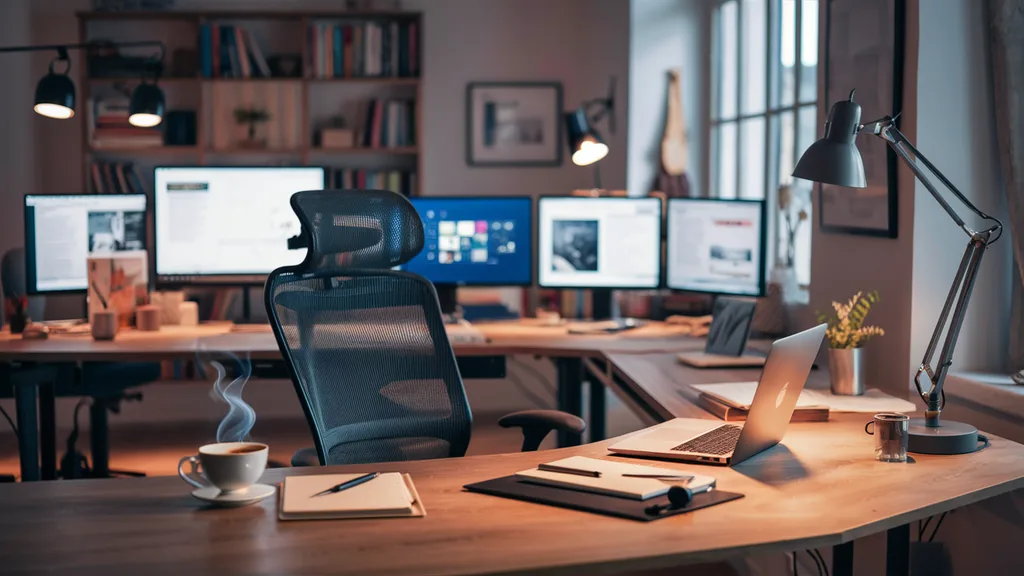
A high-resolution monitor can dramatically improve productivity by providing additional screen space for documents, spreadsheets, video calls, and software applications. Many professionals find that dual-monitor setups further enhance efficiency by allowing multiple tasks to remain visible simultaneously.
Reliable internet access is equally critical. Slow or unstable connections can disrupt meetings, delay projects, and reduce overall performance. Investing in a high-speed internet plan and maintaining a strong Wi-Fi signal helps ensure smooth communication and uninterrupted workflow.
Additional equipment such as quality headphones, webcams, microphones, and backup storage devices can further improve your remote working experience. These tools facilitate professional communication and safeguard important data.
The Importance of Ergonomics
Ergonomics plays a vital role in maintaining comfort and preventing physical strain. Many remote workers spend extended periods sitting at their desks, making it essential to invest in furniture that supports proper posture. An ergonomic chair with adjustable height, lumbar support, and comfortable cushioning can significantly reduce back and neck pain.
Your desk should be positioned at a height that allows your arms to rest comfortably while typing. The monitor should be placed at eye level to minimize neck strain, while keyboards and mice should be positioned to support natural wrist alignment. Small adjustments in workstation design can have a major impact on long-term health and productivity.
Incorporating standing desks or adjustable workstations can also encourage movement throughout the day. Alternating between sitting and standing helps reduce fatigue and supports better circulation, contributing to overall well-being.
Technology and Software for Remote Work
Technology is the backbone of modern remote work. Communication platforms such as video conferencing tools, messaging applications, and project management software help teams collaborate effectively regardless of location. These tools allow employees to stay connected, share updates, and coordinate tasks in real time.
Cloud storage services provide secure access to files from multiple devices, ensuring that important documents remain available whenever needed. Cybersecurity measures, including antivirus software, strong passwords, and multi-factor authentication, are also essential for protecting sensitive information and maintaining professional standards.
Automating repetitive tasks through productivity software can further improve efficiency. From scheduling applications to workflow automation tools, technology enables remote workers to focus on high-value activities while reducing administrative burdens.
Organizing Your Home Office
An organized workspace supports concentration and minimizes distractions. Clutter can create visual stress and make it difficult to locate important materials when needed. Implementing storage solutions such as shelves, drawers, and organizers helps keep the workspace tidy and functional.
Cable management is another frequently overlooked aspect of office organization. Tangled cords can create an untidy appearance and make equipment maintenance more difficult. Using cable organizers and wireless accessories can contribute to a cleaner and more professional workspace.
Keeping frequently used items within easy reach and establishing consistent organizational systems can save valuable time each day. A well-organized office not only looks appealing but also supports a more productive workflow.
Productivity Tips for Remote Workers
Productivity in a remote environment requires discipline and structure. Establishing a daily routine can help maintain focus and consistency. Setting clear working hours, creating task lists, and prioritizing important projects contribute to effective time management.
Regular breaks are equally important. Short pauses throughout the day can improve concentration, reduce mental fatigue, and support overall health. Techniques such as time blocking and the Pomodoro method can help workers maintain momentum while preventing burnout.
Minimizing distractions is another key factor in remote work success. Turning off unnecessary notifications, setting boundaries with family members, and maintaining a dedicated workspace can help create an environment conducive to focused work.
Common Remote Work Setup Mistakes
Many people make the mistake of prioritizing aesthetics over functionality. While an attractive workspace can be motivating, comfort and practicality should always come first. Another common error is neglecting ergonomics, which can result in chronic discomfort and reduced productivity over time.
Working from unsuitable locations such as beds or couches can also hinder performance and create poor posture habits. Additionally, failing to invest in reliable internet service and communication tools may lead to frustration and professional challenges. Recognizing and addressing these issues can significantly improve the remote work experience.
Future Trends in Remote Work Setups
The future of remote work is likely to include smarter technologies, improved collaboration tools, and increasingly flexible work environments. Artificial intelligence, virtual reality meeting spaces, and advanced productivity software are expected to play larger roles in how remote teams operate.
As organizations continue to embrace hybrid work models, employees will increasingly seek versatile workspaces that support both professional performance and personal well-being. Sustainable office equipment, ergonomic innovations, and intelligent automation solutions are expected to become standard features of modern remote work setups.
Conclusion
A well-designed remote work setup is one of the most valuable investments a professional can make. By creating a workspace that combines comfort, functionality, organization, and technology, remote workers can improve productivity, enhance communication, and support long-term health. Whether you are new to working from home or looking to upgrade your existing environment, focusing on ergonomics, reliable equipment, and effective organization can make a significant difference in your daily performance. As remote work continues to evolve, maintaining an optimized home office will remain essential for achieving professional success in a digital-first world.
Frequently Asked Questions (FAQ)
What is a remote work setup?
A remote work setup is the combination of workspace design, furniture, equipment, technology, and organizational systems that allow a person to work effectively outside a traditional office.
What equipment is essential for remote work?
Essential equipment includes a computer, reliable internet connection, ergonomic chair, desk, monitor, keyboard, mouse, webcam, and headphones.
How can I improve productivity while working remotely?
You can improve productivity by maintaining a dedicated workspace, following a consistent routine, minimizing distractions, and using productivity tools.
Why is ergonomics important in a home office?
Ergonomics helps prevent physical discomfort, improves posture, reduces fatigue, and supports long-term health during extended work sessions.
What internet speed is recommended for remote work?
The ideal speed depends on your tasks, but stable broadband with sufficient upload and download speeds is recommended for video conferencing and cloud-based work.
How do I create a professional home office?
Choose a quiet location, invest in quality furniture, organize your workspace, ensure proper lighting, and maintain a clean background for virtual meetings.
What are the biggest mistakes in a remote work setup?
Common mistakes include poor ergonomics, inadequate lighting, cluttered workspaces, unreliable internet connections, and working from unsuitable locations like beds or couches.
Can a small space be used for a remote office?
Yes. Even a small corner of a room can become an effective home office with proper organization, ergonomic furniture, and efficient use of available space.